

What are Midmark M3 Error Codes C010 – C442?
Understanding the error codes that may arise while using any autoclave is crucial for ensuring its optimal performance and reliability. So in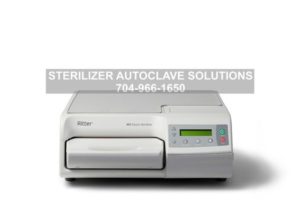 this article, we will delve into some of the various error codes of the Midmark M3 compact autoclave. Specifically, we’ll look at Error Codes C010 – C442. Deciphering these signals isn’t just about fixing a problem; it’s about ensuring uninterrupted workflow, safeguarding patient and user safety, and preventing costly downtime or potential compliance issues. So we’ll go over the details of what each code means, as well as actions you can take to troubleshoot them.
If you have any questions about these error codes, the Midmark M3 or anything else, please give us a call at 704-966-1650 Option 3 for our Free Tech Support Line.
Error Code C010
Display/Symptom
POWER UP MODE SYSTEM POWER LOSS
ITEMS NOT STERILE PUSH STOP TO RESTART
Power interruption during any mode in which sterilization may be compromised.
Cause 1: User turned power off during Chamber Close, Heat Up, or Sterilization Mode.
Check
Ask questions about usage patterns.
Action
Train user on proper operation.
Cause 2: Unit plugged into a non dedicated, 20 amp circuit.
Check
Check if unit is plugged into a dedicated 20 amp circuit.
Action
Connect unit to a dedicated 20 amp circuit.
Cause 3: Some other event such as a storm, a power outage, etc. interrupted power.
Check
Ask questions about recent electrical events storms, outages, etc.
Action
If this is a common occurrence, isolate from source of electrical interference.
Error Code C060
Display/Symptom
POWER UP MODE SYSTEM HARDWARE
TURN POWER OFF/ON
At power-up, memory or other hardware cannot be properly read or initialized.
Cause 1: (If occasional) power has been rapidly cycled off then on again by user, possibly to clear another error.
Check
Ask questions about usage patterns.
Action
Train user on proper operation.
Cause 2: (If occasional) power has been rapidly cycled off then on again by an electrical interruption, such as a storm, power outage, etc.
Check A:
Check if sterilizer is plugged into a dedicated 20 amp circuit.
Action A:
Connect unit to a dedicated 20 amp circuit.
Check B:
Ask questions about recent electrical events.
Action B:
If this is a common occurrence, isolate from source of electrical interference.
Cause 3: (If persistent) damaged component on PC board.
Check
Turn power switch off. Wait 20 seconds, and turn power back on. Repeat several times in a row.
Action
Replace PC board if necessary.
Error Code C099
Display/Symptom
MISC MODE ??? ???
UNPLUG / RE-PLUG UNIT
An error that can occur while connected to a PC, etc. This error will never be caused by normal usage.
Cause: Code was generated at the factory during testing when an external device such as a PC or laptop was connected to the sterilizer main PC board.
Check
No check necessary.
Action
Contact Technical Service.
Error Code C102
Display/Symptom
CLOSE MODE STOP KEY
ITEMS NOT STERILE PUSH STOP TO RESTART
The STOP key was sensed during a cycle
Cause 1: User pressed the STOP key during the cycle.
Check
Ask questions about usage patterns.
Action
Train user on proper operation. Press STOP key to clear error. It may be necessary to wait briefly up to 1 minute while chamber pressure & temperature dissipate.
Cause 2: Membrane switch (touchpad) is damaged.
Check
Perform key test.
Action
Replace membrane switch.
Error Code C103 – Heatup Mode
Display/Symptom
CLOSE MODE STOP KEY
ITEMS NOT STERILE PUSH STOP TO RESTART
The STOP key was sensed during a cycle
Cause 1: User pressed the STOP key during the cycle.
Check
Ask questions about usage patterns.
Action
Train user on proper operation. Press STOP key to clear error. It may be necessary to wait briefly up to 1 minute while chamber pressure & temperature dissipate.
Cause 2: Membrane switch (touchpad) is damaged.
Check
Perform key test.
Action
Replace membrane switch.
Error Code C104 – Sterilize Mode
Display/Symptom
CLOSE MODE STOP KEY
ITEMS NOT STERILE PUSH STOP TO RESTART
The STOP key was sensed during a cycle.
Cause 1: User pressed the STOP key during the cycle.
Check
Ask questions about usage patterns.
Action
Train user on proper operation. Press STOP key to clear error. It may be necessary to wait briefly up to 1 minute while chamber pressure & temperature dissipate.
Cause 2: Membrane switch (touchpad) is damaged.
Check
Perform key test.
Action
Replace membrane switch.
Error Code C105 – Vent Mode
Display/Symptom
CLOSE MODE STOP KEY
ITEMS NOT STERILE PUSH STOP TO RESTART
The STOP key was sensed during a cycle.
Cause 1: User pressed the STOP key during the cycle.
Check
Ask questions about usage patterns.
Action
Train user on proper operation. Press STOP key to clear error. It may be necessary to wait briefly up to 1 minute while chamber pressure & temperature dissipate.
Cause 2: Membrane switch (touchpad) is damaged.
Check
Perform key test.
Action
Replace membrane switch.
Error Code C106 – Open Mode
Display/Symptom
CLOSE MODE STOP KEY
ITEMS NOT STERILE PUSH STOP TO RESTART
The STOP key was sensed during a cycle.
Cause 1: User pressed the STOP key during the cycle.
Check
Ask questions about usage patterns.
Action
Train user on proper operation. Press STOP key to clear error. It may be necessary to wait briefly up to 1 minute while chamber pressure & temperature dissipate.
Cause 2: Membrane switch (touchpad) is damaged.
Check
Perform key test.
Action
Replace membrane switch.
Error Code C232 – Close Mode
Display/Symptom
CLOSE MODE WATER LOW
ITEMS NOT STERILE PUSH STOP TO RESTART
Reservoir water level sensor detects the supply water is low.
Cause 1: Reservoir water level low.
Check
Check water level in reservoir.
Action
Fill reservoir with distilled water.
Cause 2: Faulty water level sensor.
Check
Water Level / External Tank Display
Action
Replace water level sensor.
Cause 3: Level sensor connection loose or disconnected, or broken wires.
Check
Check level sensor connection at J13 on PC board, and related leads.
Action
Assure J13 plug connection is securely connected and related wires are not damaged.
Cause 4: Malfunctioning PC board.
Check
Run service diagnostics, and check for 4.5 to 5.0 VDC at J13 pins 1 & 2 on PC board when level sensor state is being displayed on LCD.
Action
If no voltage, replace PC board.
Error Code C321 – Select Mode
Display/Symptom
SELECT MODE DOOR CLOSED
PUSH STOP TO RESTART
Door Motor Open Switch is not sensed as being open when should be.
Cause 1: Something outside of the unit is physically interfering with the movement of the door.
Check
Verify that there is nothing outside of the unit stopping movement of the door.
Action
Remove any external impediment to door movement.
Cause 2: The door motor cam is not making contact with the Door Open Switch.
Check
Remove top cover, put unit into Service Diagnostics, and verify that the door motor is not broken and physically attempts to operate.
Action
Replace door motor.
Cause 3: Door will not open because there is too much pressure in chamber.
Check
Check for obstruction in plastic tube connecting unit to external condensing tank.
Action
Unkink plastic tube, remove obstruction, or replace.
Cause 4: Door will not open because there is too much pressure in chamber.
Check
Check copper coil in external condensing tank for blockage or damage.
Action
Clear obstruction or replace copper coil.
Cause 5: Door will not open because there is too much pressure in chamber.
Check
Check vent port in chamber for blockage. Check filter for blockage.
Action
Clear obstruction in vent port. Clean or replace filter.
Cause 6: Door will not open because there is too much pressure in chamber.
Check
Check vent valve for blockage. Put unit into Service Diagnostics and check vent valve operation.
Action
Clean or replace vent valve.
Cause 7: Door will not open because there is too much pressure in chamber.
Check
Put unit into Service Diagnostics, and verify that the PC board is energizing vent valve when appropriate.
Action
Replace PC board, if necessary.
Cause 8: Pressure Interlock Assembly is stuck open.
Check
Verify that chamber pressure is zero and then check the state of the pressure interlock assembly.
Action
Replace pressure interlock assembly.
Cause 9: Door Open Switch is stuck in the closed state.
Check
Put unit into Service Diagnostics, and verify that the Door Open Switch is operating normally.
Action
Replace door switch / harness assembly.
Cause 10: Something inside the chamber is physically interfering with the movement of the door.
Check
Verify that there is nothing jammed inside the chamber stopping movement of the door by manually opening the door.
Action
Turn power off, remove top cover, and purge chamber of pressure. Remove pivot pin from door motor connecting rod and pivot bracket, then manually open the door. Remove jammed instruments.
Cause 11: PC Board is not energizing door motor.
Check
Put unit into Service Diagnostics and verify that the PC board is energizing door motor when appropriate.
Action
Replace PC board, if necessary.
Error Code C326 – Open Mode
Display/Symptom
OPEN MODE DOOR CLOSED
ITEMS NOT STERILE PUSH STOP TO RESTART
Door Motor Closed Switch has been activated, stopping the door motor, but the Door Claw Switch is not sensed as being closed.
Cause 1: Something outside of the unit is physically interfering with the movement of the door.
Check
Verify that there is nothing outside of the unit stopping movement of the door.
Action
Remove any external impediment to door movement.
Cause 2: The door motor cam is not making contact with the Door Open Switch.
Check
Remove top cover, put unit into Service Diagnostics, and verify that the door motor is not broken and physically attempts to operate.
Action
Replace door motor.
Cause 3: Door will not open because there is too much pressure in chamber.
Check
Check for obstruction in plastic tube connecting unit to external condensing tank.
Action
Unkink plastic tube, remove obstruction, or replace.
Cause 4: Door will not open because there is too much pressure in chamber.
Check
Check copper coil in external condensing tank for blockage or damage.
Action
Clear obstruction or replace copper coil.
Cause 5: Door will not open because there is too much pressure in chamber.
Check
Check vent port in chamber for blockage. Check filter for blockage.
Action
Clear obstruction in vent port. Clean or replace filter.
Cause 6: Door will not open because there is too much pressure in chamber.
Check
Check vent valve for blockage. Put unit into Service Diagnostics and check vent valve operation.
Action
Clean or replace vent valve.
Cause 7: Door will not open because there is too much pressure in chamber.
Check
Put unit into Service Diagnostics, and verify that the PC board is energizing vent valve when appropriate.
Action
Replace PC board, if necessary.
Cause 8: Pressure Interlock Assembly is stuck open.
Check
Verify that chamber pressure is zero and then check the state of the pressure interlock assembly.
Action
Replace pressure interlock assembly.
Cause 9: Door Open Switch is stuck in the closed state.
Check
Put unit into Service Diagnostics, and verify that the Door Open Switch is operating normally.
Action
Replace door switch / harness assembly.
Cause 10: Something inside the chamber is physically interfering with the movement of the door.
Check
Verify that there is nothing jammed inside the chamber stopping movement of the door by manually opening the door.
Action
Turn power off, remove top cover, and purge chamber of pressure. Remove pivot pin from door motor connecting rod and pivot bracket, then manually open the door. Remove jammed instruments.
Cause 11: PC Board is not energizing door motor.
Check
Put unit into Service Diagnostics and verify that the PC board is energizing door motor when appropriate.
Action
Replace PC board, if necessary.
Error Code C352 – Close Mode
Display/Symptom
CLOSE MODE TRAY SWITCH OPEN
ITEMS NOT STERILE PUSH STOP TO RESTART
Tray Switch not sensed as fully closed when it should be.
Cause 1: Tray not properly staged when inserted into chamber.
Check
Ask questions about the way the user loads the tray.
Action
Train user to fully stage the tray before attempting to start a cycle.
Cause 2: Tray handle’s plastic key is broken off.
Check
Ensure that left lower side of plastic tray handle has a “key” that sticks out about an inch.
Action
Replace bottom door tray handle.
Cause 3: Tray switch is not positioned correctly, and is not sensing presence of tray.
Check
Use Service Diagnostics to verify that the tray switch actuates when the tray initially crests bump in the tusk.
Action
Adjust the tray switch bracket.
Cause 4: Tray switch is faulty.
Check
Use Service Diagnostics to ensure that the switch operates correctly.
Action
Replace door switch / harness assembly.
Error Code C353 – Heatup Mode
Display/Symptom
HEATUP MODE TRAY SWITCH OPEN
ITEMS NOT STERILE PUSH STOP TO RESTART
Tray Switch not sensed as fully closed when it should be.
Cause 1: Tray not properly staged when inserted into chamber.
Check
Ask questions about the way the user loads the tray.
Action
Train user to fully stage the tray before attempting to start a cycle.
Cause 2: Tray handle’s plastic key is broken off.
Check
Ensure that left lower side of plastic tray handle has a “key” that sticks out about an inch.
Action
Replace bottom door tray handle.
Cause 3: Tray switch is not positioned correctly, and is not sensing presence of tray.
Check
Use Service Diagnostics to verify that the tray switch actuates when the tray initially crests bump in the tusk.
Action
Adjust the tray switch bracket.
Cause 4: Tray switch is faulty.
Check
Use Service Diagnostics to ensure that the switch operates correctly.
Action
Replace door switch / harness assembly.
Error Code C354 – Sterilize Mode
Display/Symptom
STERILIZE MODE TRAY SWITCH OPEN
ITEMS NOT STERILE PUSH STOP TO RESTART
Tray Switch not sensed as fully closed when it should be.
Cause 1: Tray not properly staged when inserted into chamber.
Check
Ask questions about the way the user loads the tray.
Action
Train user to fully stage the tray before attempting to start a cycle.
Cause 2: Tray handle’s plastic key is broken off.
Check
Ensure that left lower side of plastic tray handle has a “key” that sticks out about an inch.
Action
Replace bottom door tray handle.
Cause 3: Tray switch is not positioned correctly, and is not sensing presence of tray.
Check
Use Service Diagnostics to verify that the tray switch actuates when the tray initially crests bump in the tusk.
Action
Adjust the tray switch bracket.
Cause 4: Tray switch is faulty.
Check
Use Service Diagnostics to ensure that the switch operates correctly.
Action
Replace door switch / harness assembly.
Error Code C355 – Vent Mode
Display/Symptom
VENT MODE TRAY SWITCH OPEN
ITEMS NOT STERILE PUSH STOP TO RESTART
Tray Switch not sensed as fully closed when it should be.
Cause 1: Tray not properly staged when inserted into chamber.
Check
Ask questions about the way the user loads the tray.
Action
Train user to fully stage the tray before attempting to start a cycle.
Cause 2: Tray handle’s plastic key is broken off.
Check
Ensure that left lower side of plastic tray handle has a “key” that sticks out about an inch.
Action
Replace bottom door tray handle.
Cause 3: Tray switch is not positioned correctly, and is not sensing presence of tray.
Check
Use Service Diagnostics to verify that the tray switch actuates when the tray initially crests bump in the tusk.
Action
Adjust the tray switch bracket.
Cause 4: Tray switch is faulty.
Check
Use Service Diagnostics to ensure that the switch operates correctly.
Action
Replace door switch / harness assembly.
Error Code C382 – Close Mode
Display/Symptom
CLOSE MODE DOOR OPEN
ITEMS NOT STERILE PUSH STOP TO RESTART
Door Motor Closed Switch has been activated, stopping the door motor, but the Door Claw Switch is not sensed as being closed.
Cause 1: Something outside of the unit is physically interfering with the movement of the door.
Check
Verify that there is nothing outside of the unit stopping movement of the door.
Action
Remove any external impediment to door movement.
Cause 2: The door motor cam is not making contact with the Door Open Switch.
Check
Remove top cover, put unit into Service Diagnostics, and verify that the door motor is not broken and physically attempts to operate.
Action
Replace door motor.
Cause 3: Door will not open because there is too much pressure in chamber.
Check
Check for obstruction in plastic tube connecting unit to external condensing tank.
Action
Unkink plastic tube, remove obstruction, or replace.
Cause 4: Door will not open because there is too much pressure in chamber.
Check
Check copper coil in external condensing tank for blockage or damage.
Action
Clear obstruction or replace copper coil.
Cause 5: Door will not open because there is too much pressure in chamber.
Check
Check vent port in chamber for blockage. Check filter for blockage.
Action
Clear obstruction in vent port. Clean or replace filter.
Cause 6: Door will not open because there is too much pressure in chamber.
Check
Check vent valve for blockage. Put unit into Service Diagnostics and check vent valve operation.
Action
Clean or replace vent valve.
Cause 7: Door will not open because there is too much pressure in chamber.
Check
Put unit into Service Diagnostics, and verify that the PC board is energizing vent valve when appropriate.
Action
Replace PC board, if necessary.
Cause 8: Door motor bracket not adjusted properly.
Check
Verify that, when the door motor is in the closed position, there is enough throw to physically close the door all the way.
Action
If there is not enough throw, adjust the door motor more toward the rear of the unit.
Cause 9: Door Closed Switch is stuck in the closed state.
Check
Put unit in Service Diagnostics, and verify that the door closed switch is operating normally.
Action
Replace door switch / harness assembly.
Display/Symptom 2
Door Motor Closed Switch has been activated, stopping the door motor, but the Door Claw Switch is not sensed as being closed.
Cause 1: Something inside the chamber is physically interfering with the movement of the door.
Check
Verify that there is nothing jammed inside the chamber stopping movement of the door.
Action
Remove any jammed instruments.
Cause 2: PC Board is not energizing door motor.
Check
Put unit into Service Diagnostics and verify that the PC board is energizing door motor when appropriate.
Action
Replace PC board, if necessary.
Error Code C383 – Heatup Mode
Display/Symptom
HEATUP MODE DOOR OPEN
ITEMS NOT STERILE PUSH STOP TO RESTART
Door Motor Closed Switch has been activated, stopping the door motor, but the Door Claw Switch is not sensed as being closed.
Cause 1: Something outside of the unit is physically interfering with the movement of the door.
Check
Verify that there is nothing outside of the unit stopping movement of the door.
Action
Remove any external impediment to door movement.
Cause 2: The door motor cam is not making contact with the Door Open Switch.
Check
Remove top cover, put unit into Service Diagnostics, and verify that the door motor is not broken and physically attempts to operate.
Action
Replace door motor.
Cause 3: Door will not open because there is too much pressure in chamber.
Check
Check for obstruction in plastic tube connecting unit to external condensing tank.
Action
Unkink plastic tube, remove obstruction, or replace.
Cause 4: Door will not open because there is too much pressure in chamber.
Check
Check copper coil in external condensing tank for blockage or damage.
Action
Clear obstruction or replace copper coil.
Cause 5: Door will not open because there is too much pressure in chamber.
Check
Check vent port in chamber for blockage. Check filter for blockage.
Action
Clear obstruction in vent port. Clean or replace filter.
Cause 6: Door will not open because there is too much pressure in chamber.
Check
Check vent valve for blockage. Put unit into Service Diagnostics and check vent valve operation.
Action
Clean or replace vent valve.
Cause 7: Door will not open because there is too much pressure in chamber.
Check
Put unit into Service Diagnostics, and verify that the PC board is energizing vent valve when appropriate.
Action
Replace PC board, if necessary.
Cause 8: Door motor bracket not adjusted properly.
Check
Verify that, when the door motor is in the closed position, there is enough throw to physically close the door all the way.
Action
If there is not enough throw, adjust the door motor more toward the rear of the unit.
Cause 9: Door Closed Switch is stuck in the closed state.
Check
Put unit in Service Diagnostics, and verify that the door closed switch is operating normally.
Action
Replace door switch / harness assembly.
Display/Symptom 2
Door Motor Closed Switch has been activated, stopping the door motor, but the Door Claw Switch is not sensed as being closed.
Cause 1: Something inside the chamber is physically interfering with the movement of the door.
Check
Verify that there is nothing jammed inside the chamber stopping movement of the door.
Action
Remove any jammed instruments.
Cause 2: PC Board is not energizing door motor.
Check
Put unit into Service Diagnostics and verify that the PC board is energizing door motor when appropriate.
Action
Replace PC board, if necessary.
Error Code C384 – Sterilize Mode
Display/Symptom
STERILIZE MODE DOOR OPEN
ITEMS NOT STERILE PUSH STOP TO RESTART
Door Motor Closed Switch has been activated, stopping the door motor, but the Door Claw Switch is not sensed as being closed.
Cause 1: Something outside of the unit is physically interfering with the movement of the door.
Check
Verify that there is nothing outside of the unit stopping movement of the door.
Action
Remove any external impediment to door movement.
Cause 2: The door motor cam is not making contact with the Door Open Switch.
Check
Remove top cover, put unit into Service Diagnostics, and verify that the door motor is not broken and physically attempts to operate.
Action
Replace door motor.
Cause 3: Door will not open because there is too much pressure in chamber.
Check
Check for obstruction in plastic tube connecting unit to external condensing tank.
Action
Unkink plastic tube, remove obstruction, or replace.
Cause 4: Door will not open because there is too much pressure in chamber.
Check
Check copper coil in external condensing tank for blockage or damage.
Action
Clear obstruction or replace copper coil.
Cause 5: Door will not open because there is too much pressure in chamber.
Check
Check vent port in chamber for blockage. Check filter for blockage.
Action
Clear obstruction in vent port. Clean or replace filter.
Cause 6: Door will not open because there is too much pressure in chamber.
Check
Check vent valve for blockage. Put unit into Service Diagnostics and check vent valve operation.
Action
Clean or replace vent valve.
Cause 7: Door will not open because there is too much pressure in chamber.
Check
Put unit into Service Diagnostics, and verify that the PC board is energizing vent valve when appropriate.
Action
Replace PC board, if necessary.
Cause 8: Door motor bracket not adjusted properly.
Check
Verify that, when the door motor is in the closed position, there is enough throw to physically close the door all the way.
Action
If there is not enough throw, adjust the door motor more toward the rear of the unit.
Cause 9: Door Closed Switch is stuck in the closed state.
Check
Put unit in Service Diagnostics, and verify that the door closed switch is operating normally.
Action
Replace door switch / harness assembly.
Display/Symptom 2
Door Motor Closed Switch has been activated, stopping the door motor, but the Door Claw Switch is not sensed as being closed.
Cause 1: Something inside the chamber is physically interfering with the movement of the door.
Check
Verify that there is nothing jammed inside the chamber stopping movement of the door.
Action
Remove any jammed instruments.
Cause 2: PC Board is not energizing door motor.
Check
Put unit into Service Diagnostics and verify that the PC board is energizing door motor when appropriate.
Action
Replace PC board, if necessary.
Error Code C385 – Vent Mode
Display/Symptom
VENT MODE DOOR OPEN
ITEMS NOT STERILE PUSH STOP TO RESTART
Door Motor Closed Switch has been activated, stopping the door motor, but the Door Claw Switch is not sensed as being closed.
Cause 1: Something outside of the unit is physically interfering with the movement of the door.
Check
Verify that there is nothing outside of the unit stopping movement of the door.
Action
Remove any external impediment to door movement.
Cause 2: The door motor cam is not making contact with the Door Open Switch.
Check
Remove top cover, put unit into Service Diagnostics, and verify that the door motor is not broken and physically attempts to operate.
Action
Replace door motor.
Cause 3: Door will not open because there is too much pressure in chamber.
Check
Check for obstruction in plastic tube connecting unit to external condensing tank.
Action
Unkink plastic tube, remove obstruction, or replace.
Cause 4: Door will not open because there is too much pressure in chamber.
Check
Check copper coil in external condensing tank for blockage or damage.
Action
Clear obstruction or replace copper coil.
Cause 5: Door will not open because there is too much pressure in chamber.
Check
Check vent port in chamber for blockage. Check filter for blockage.
Action
Clear obstruction in vent port. Clean or replace filter.
Cause 6: Door will not open because there is too much pressure in chamber.
Check
Check vent valve for blockage. Put unit into Service Diagnostics and check vent valve operation.
Action
Clean or replace vent valve.
Cause 7: Door will not open because there is too much pressure in chamber.
Check
Put unit into Service Diagnostics, and verify that the PC board is energizing vent valve when appropriate.
Action
Replace PC board, if necessary.
Cause 8: Door motor bracket not adjusted properly.
Check
Verify that, when the door motor is in the closed position, there is enough throw to physically close the door all the way.
Action
If there is not enough throw, adjust the door motor more toward the rear of the unit.
Cause 9: Door Closed Switch is stuck in the closed state.
Check
Put unit in Service Diagnostics, and verify that the door closed switch is operating normally.
Action
Replace door switch / harness assembly.
Display/Symptom 2
Door Motor Closed Switch has been activated, stopping the door motor, but the Door Claw Switch is not sensed as being closed.
Cause 1: Something inside the chamber is physically interfering with the movement of the door.
Check
Verify that there is nothing jammed inside the chamber stopping movement of the door.
Action
Remove any jammed instruments.
Cause 2: PC Board is not energizing door motor.
Check
Put unit into Service Diagnostics and verify that the PC board is energizing door motor when appropriate.
Action
Replace PC board, if necessary.
Error Code C442 – Close Mode
Display/Symptom
CLOSE MODE EXTERNAL TANK FULL
PUSH STOP TO RESTART
The external tank water level sensor detected water level in the external tank is too high to perform next cycle.
Cause 1: External condensing tank is full.
Check:
Visually check tank to see if full.
Action:
Empty external condensing tank.
Cause 2: Corrosion on condensing tank level sensors.
Check:
Visually inspect external condensing tank water level sensors.
Action:
Clean sensors, copper coil, and inside of condensing tank with a clean cloth.
Cause 3: Level sensors or attached wiring damaged.
Check:
Check level sensors and attached wiring for damage.
Action:
Replace level sensors and/or wiring.
Cause 4: System is not processing data properly.
Check:
Go into Service Diagnostics to verify sensor operation.
Action:
Check the Water Level / External Tank Display.
As always if you have any questions about this process or anything else please feel free to contact us and take advantage of our “FREE TECH SUPPORT.”
We also offer FREE VIRTUAL TECH SUPPORT to “See and Talk” with a “Real Time Live Technician” for any problems you may be in need of help with.
You can also use our “FREE MAINTENANCE PROGRAM”. Take the guesswork and worrying about what unit is due for maintenance and which maintenance cycle it is time for. We will keep track of all your autoclaves and let you know when it’s time for anything.
You can view the Midmark M3 autoclave on our website here for more info.